Teaching materials
Convert PDF content into editable HWPX documents, compare textbook covers and interior layouts, and create illustrations.
Cheonghyeon Edu develops and supplies software for teaching materials, classroom review, and academy operations. Drawing on the tools supplied to WISE Science Academy and real workflows, we discuss the scope your academy needs.
Services are provided in dedicated environments for customers with a service agreement. Explore each tool’s screens to see its key features and workflows.
Cheonghyeon Edu develops and supplies education software for teachers preparing materials and staff managing classes and operations. From document conversion to grading, attendance, and supply requests, we build tools around the tasks people need to complete.
Convert PDF content into editable HWPX documents, compare textbook covers and interior layouts, and create illustrations.
Support grading and review alongside attendance, clinic records, and the academy’s recurring supply requests.
Customer tools are provided to academies with a service agreement. Required features, integrations, and operating conditions are discussed during consultation.
Turn PDF and HWPX files into reusable teaching materials, and prepare covers and illustrations in one place.
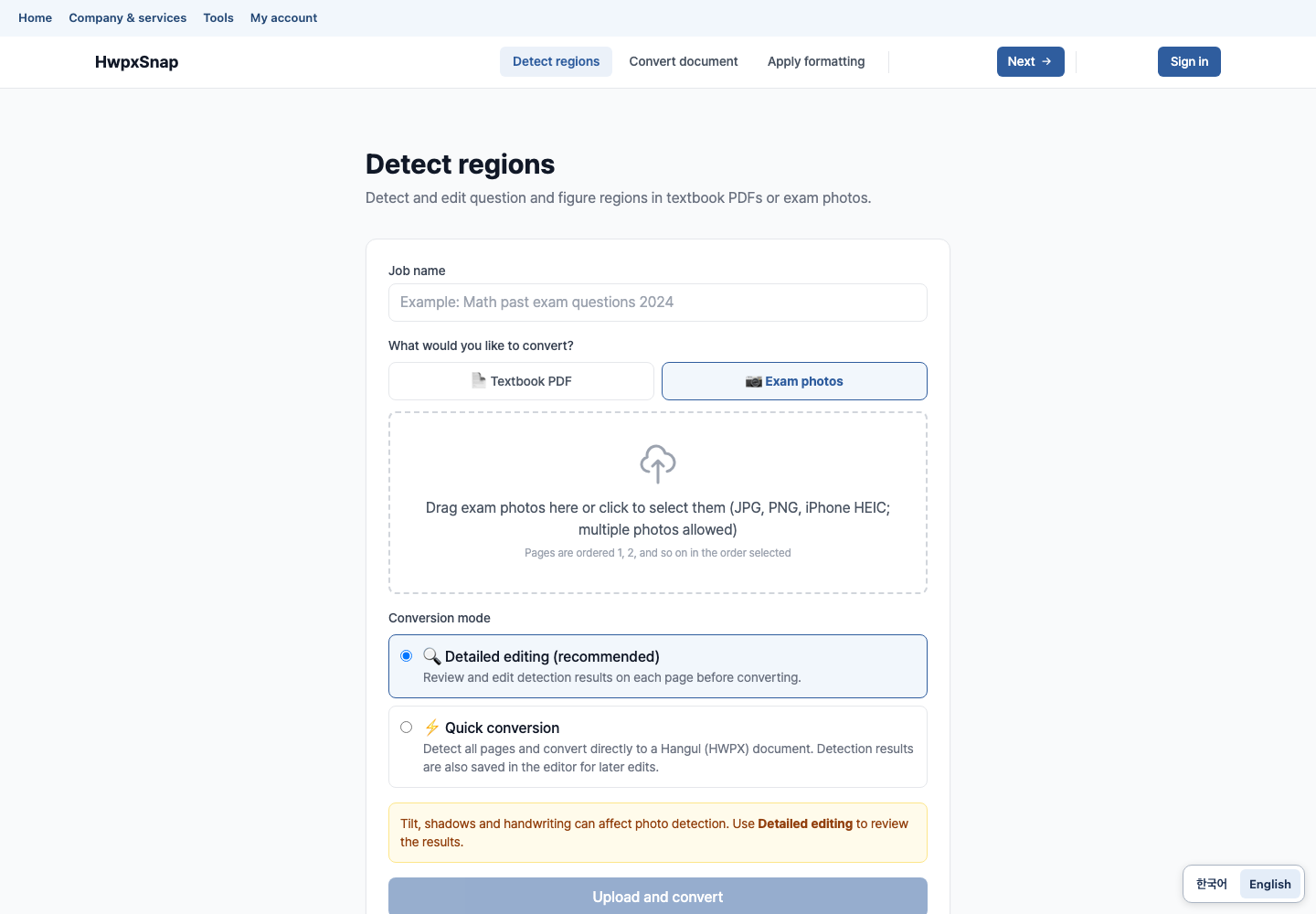
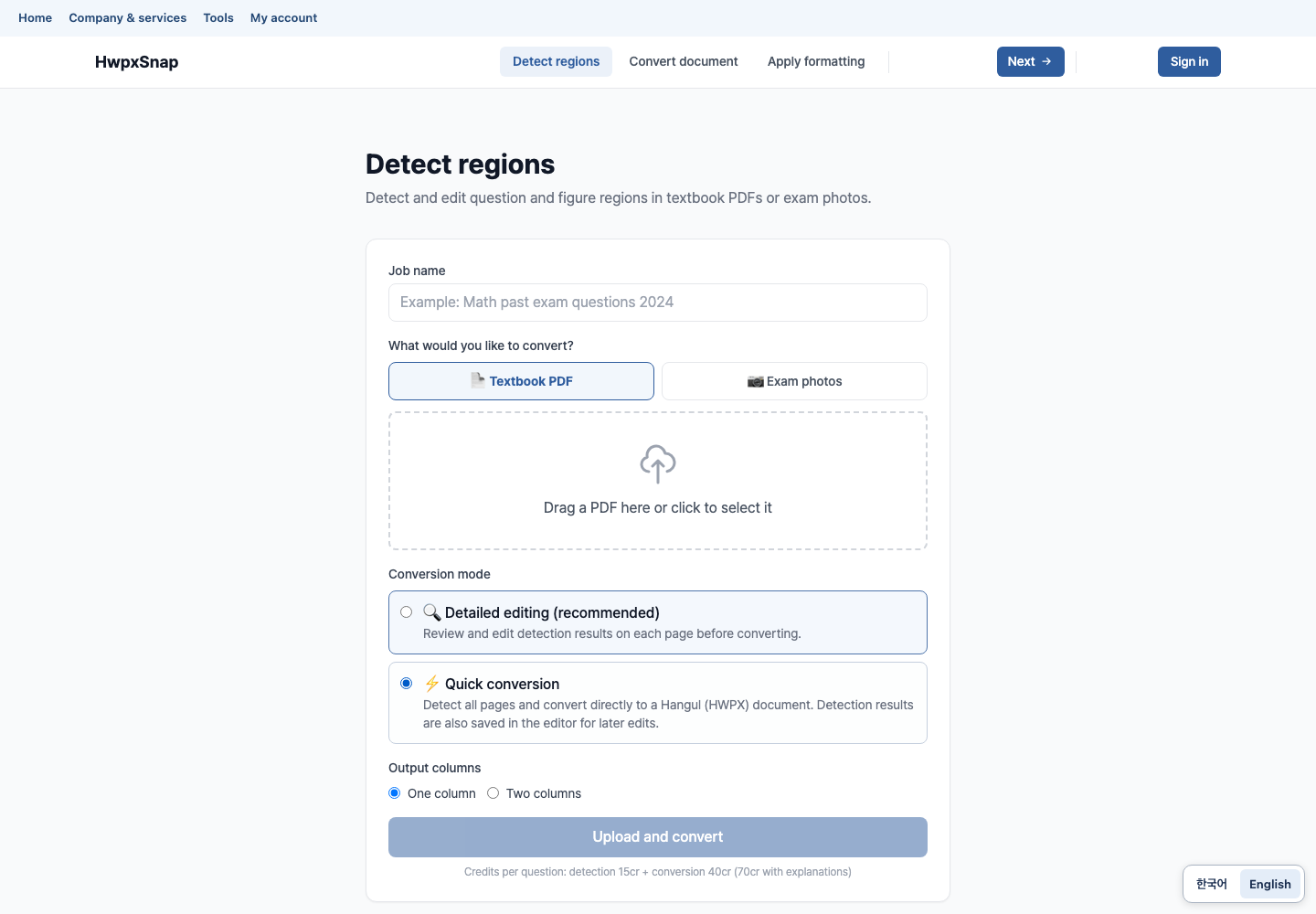
AI detects questions, illustrations, and explanations in PDF textbooks, converts them into editable HWPX documents, and applies your preferred formatting.
Explore 2 screensReuse scanned or PDF-only textbooks without retyping. Detect question and image regions, transfer them into HWPX, and apply your academy’s document templates.
People and records shown are fictional examples prepared for this introduction.
Structure workbook content into individual questions for custom materials, search, and automated typesetting.
Learn moreSeparate HWPX workbooks into questions, choices, answers, and explanations, then attach unit and concept labels. Select the questions each class needs and typeset new textbooks or worksheets.
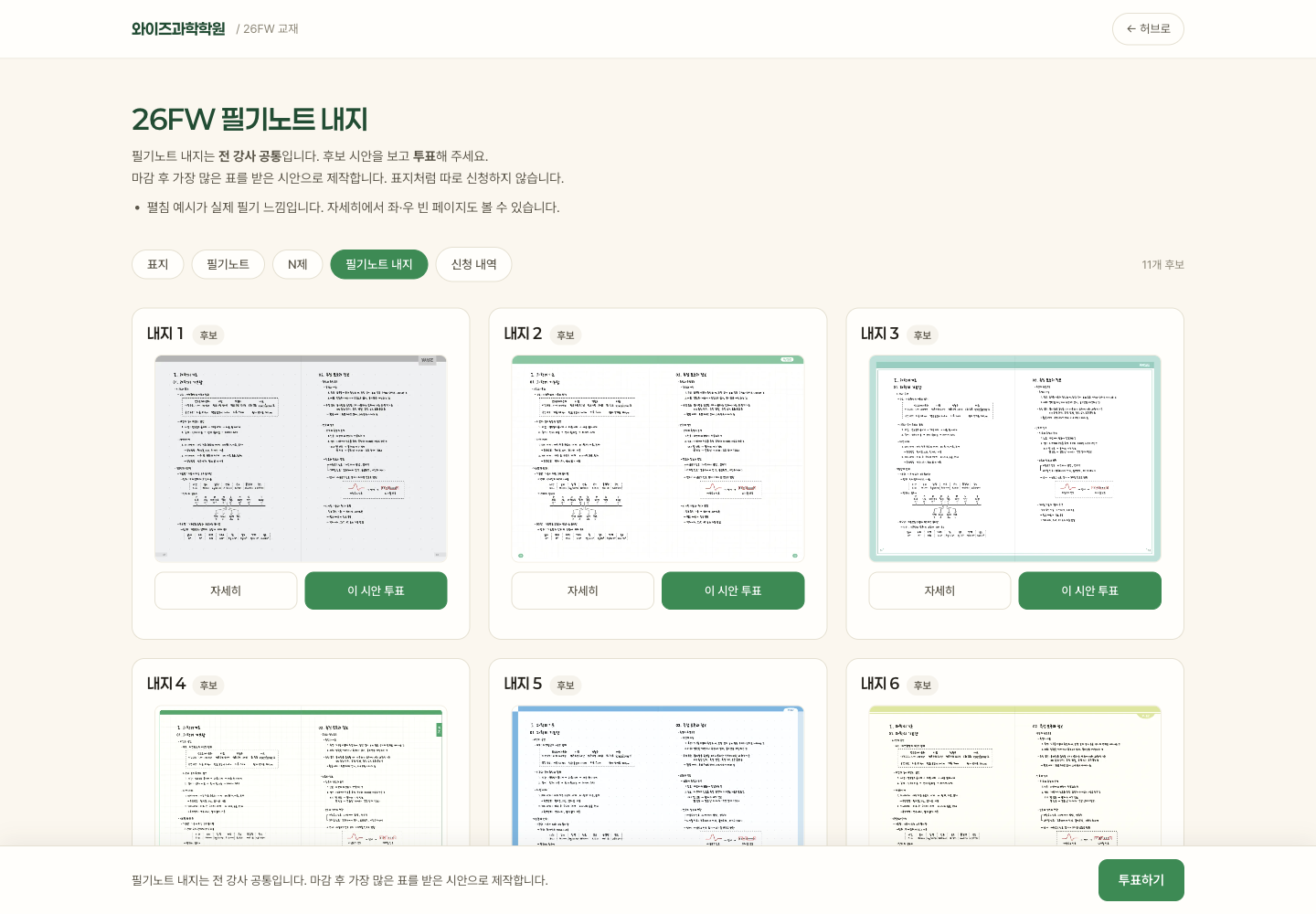
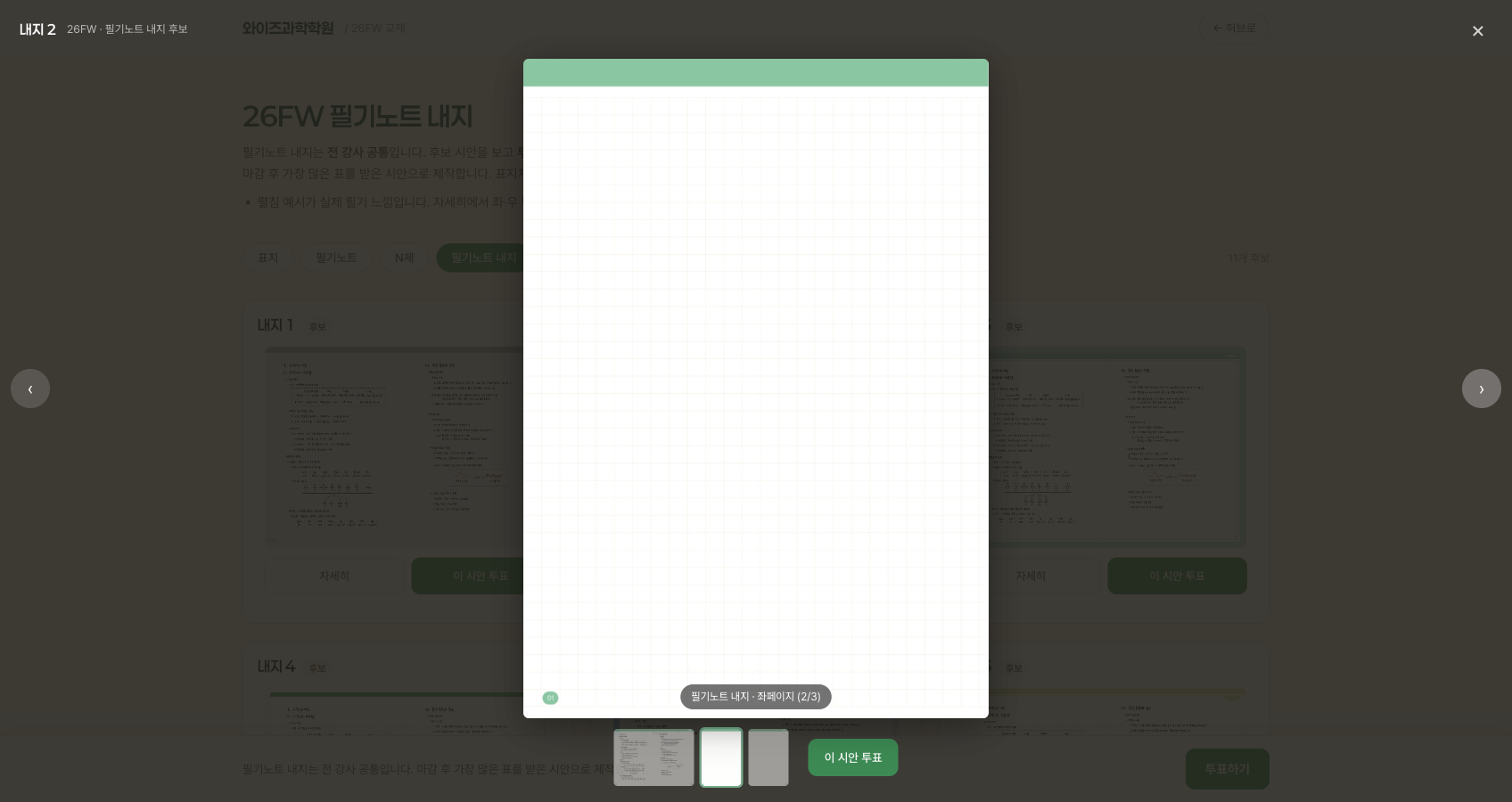
Compare cover and interior designs in one place. Teachers can request covers and vote on interior layouts.
Explore 2 screensShare each term’s notebook and workbook designs in a gallery. Teachers can select covers, vote on interior layouts, and check their requests.
People and records shown are fictional examples prepared for this introduction.
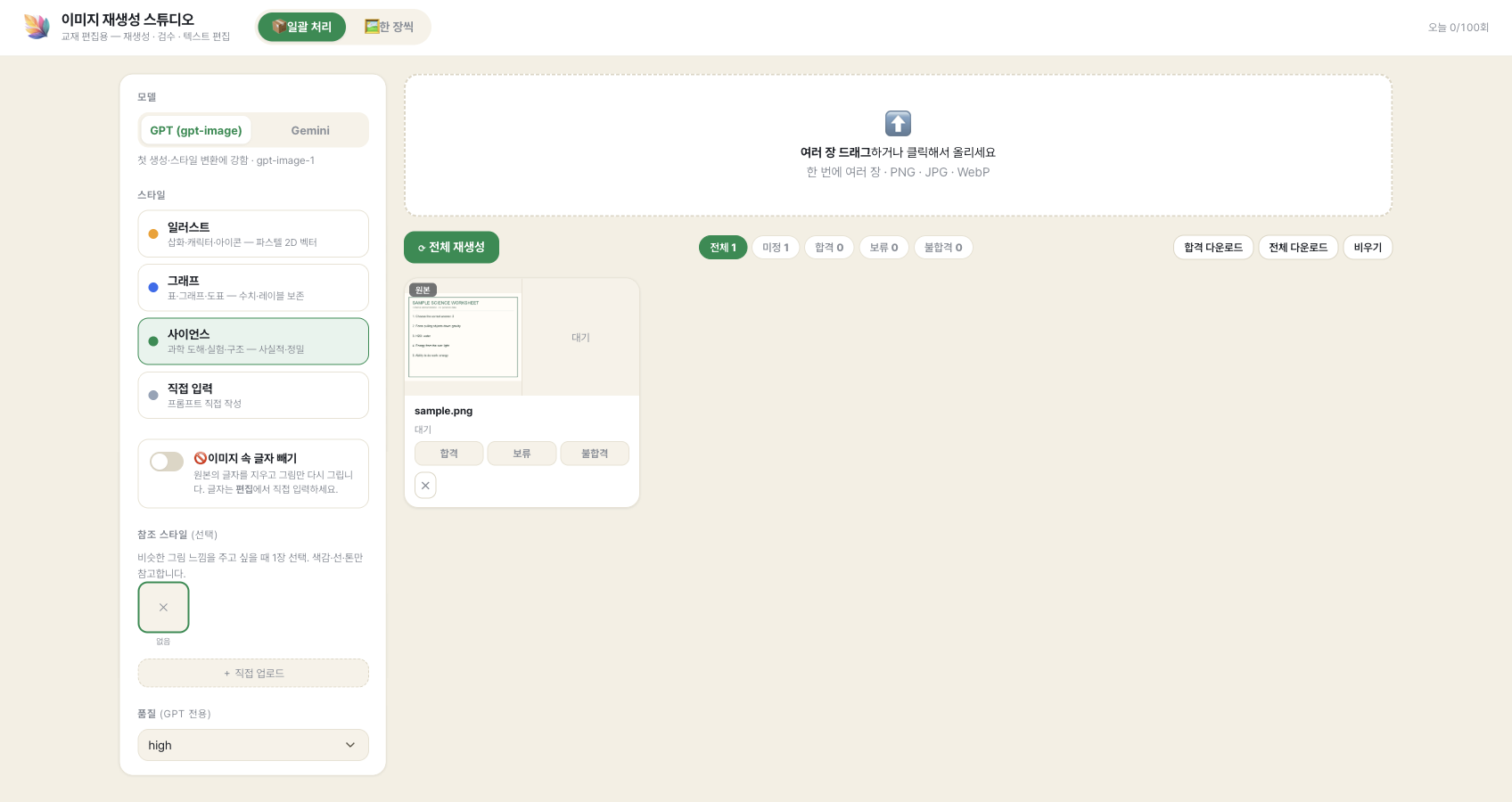
Upload textbook illustrations or photos and redraw them with AI in a chosen style. Reference images help maintain a consistent look.
Explore 2 screensUse your own artwork or images you have permission to use to unify illustration styles across a textbook. Add an original and a reference image to guide the result.
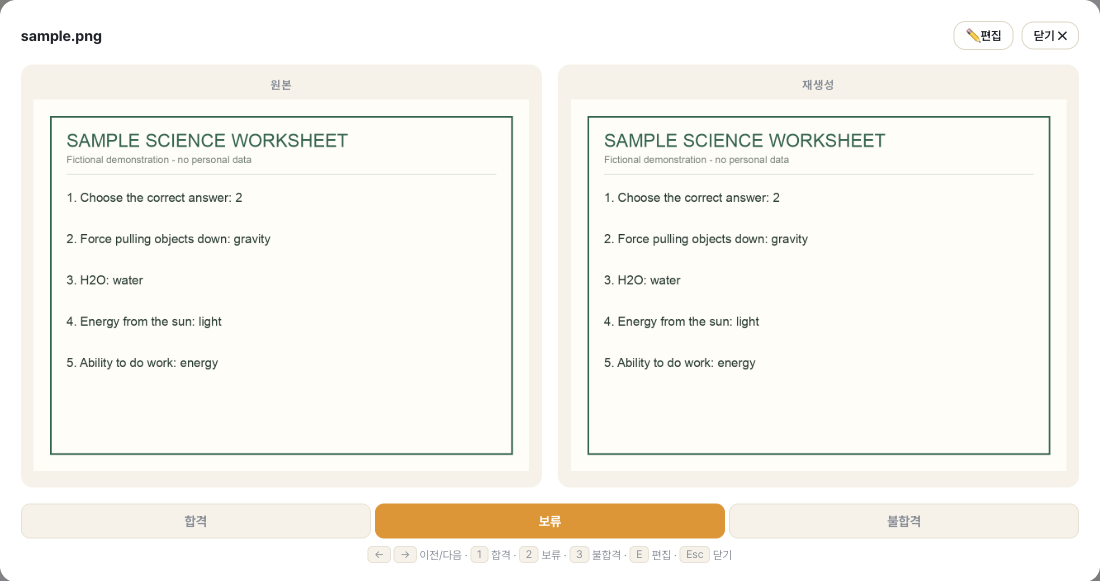
People and records shown are fictional examples prepared for this introduction.
Let AI handle time-consuming grading so teachers can focus on student feedback.
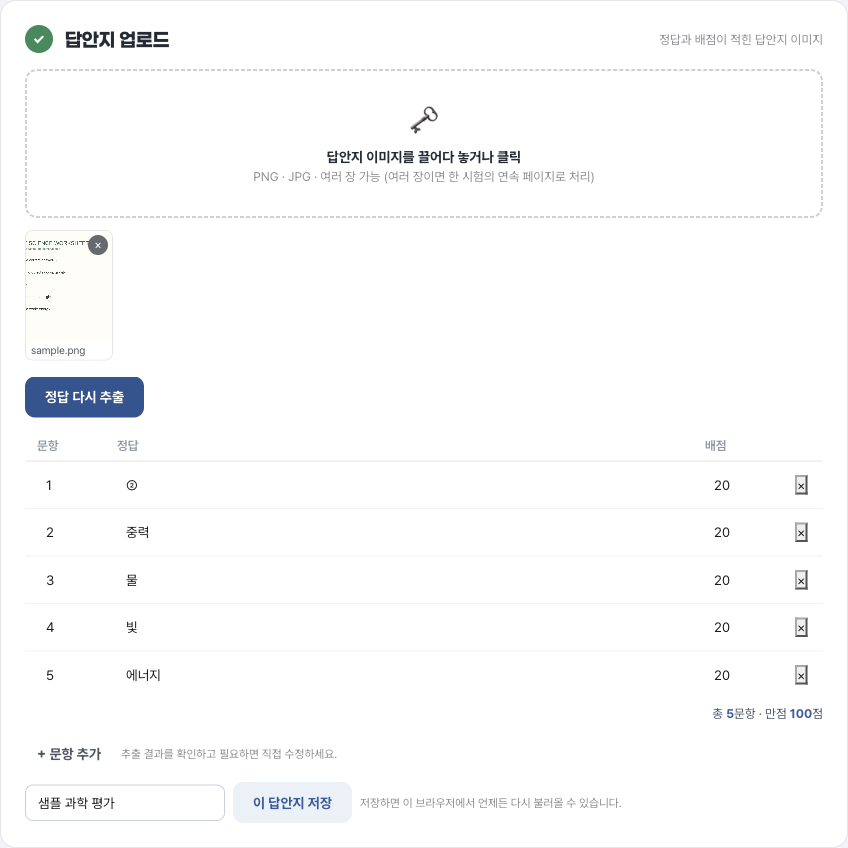
Upload answer keys and student exam photos to get scores for each student and correct/incorrect results for each question.
Explore 2 screensReduce the time spent grading exams one by one. AI reads answer keys and student exam images, while teachers review and confirm the results.
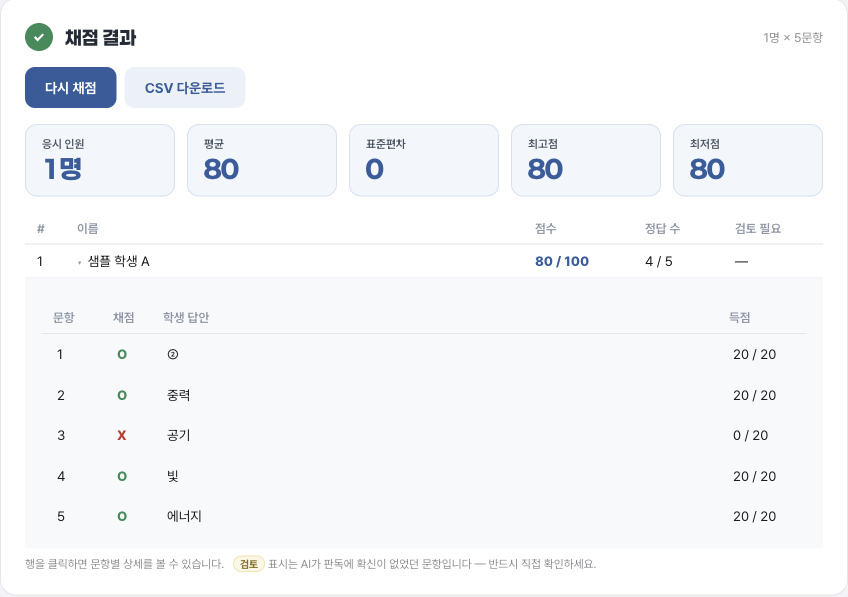
People and records shown are fictional examples prepared for this introduction.
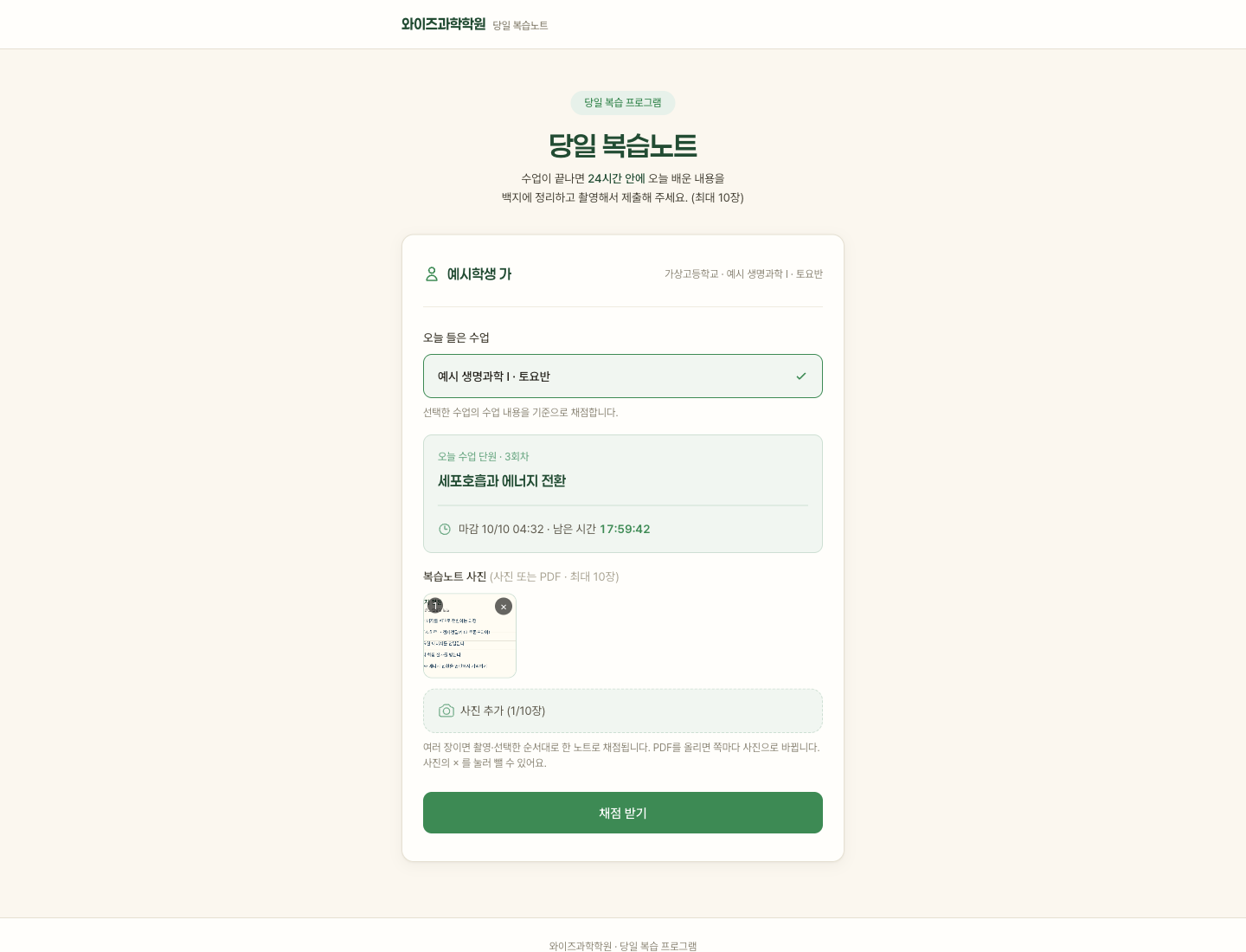
Students summarize what they learned on a blank page within 24 hours of class. AI grades each submission and keeps a review history.
Explore 3 screensStudents summarize the day’s lesson on a blank page, photograph it, and submit within 24 hours. AI checks key concepts, and teachers and assistants review the results in the admin view.
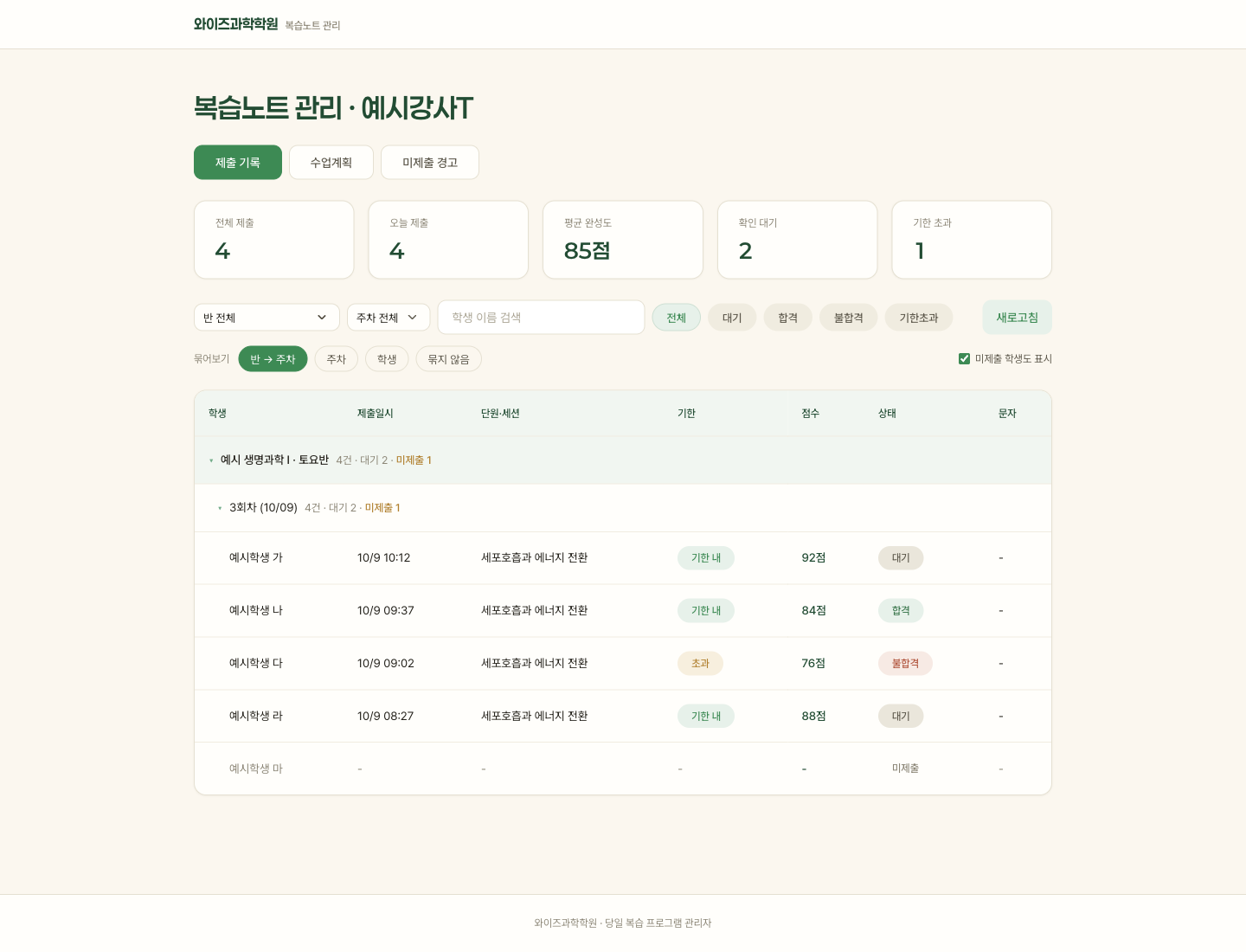
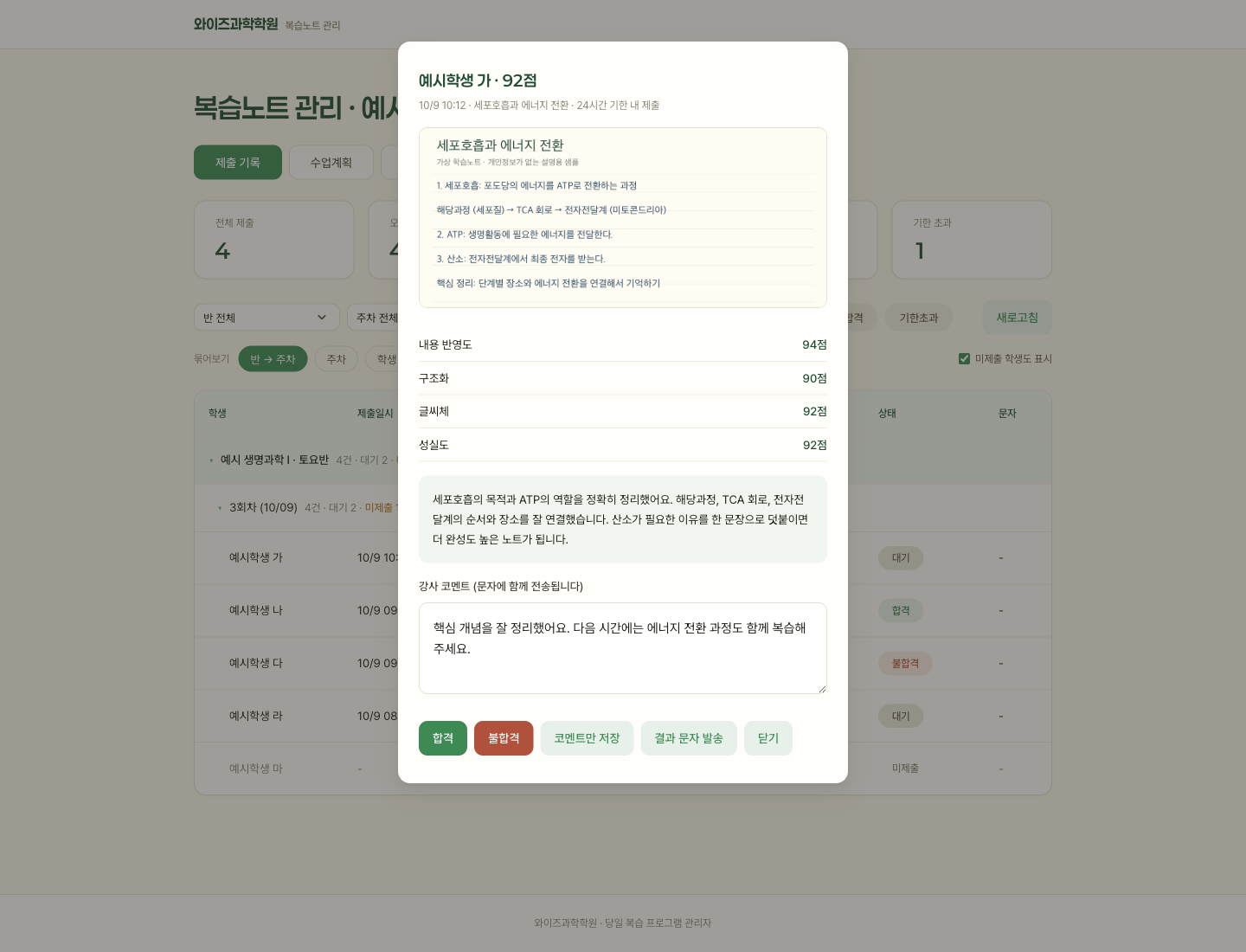
People and records shown are fictional examples prepared for this introduction.
Explore a 3D cleanroom and process equipment, replay manufacturing steps, and inspect wafer yields and device structures.
Learn moreTour a 3D cleanroom, replay manufacturing steps, and inspect wafers and finished devices. It runs in the browser without an account for classroom exploration.
Record attendance, query Notion, and request supplies with a few taps.
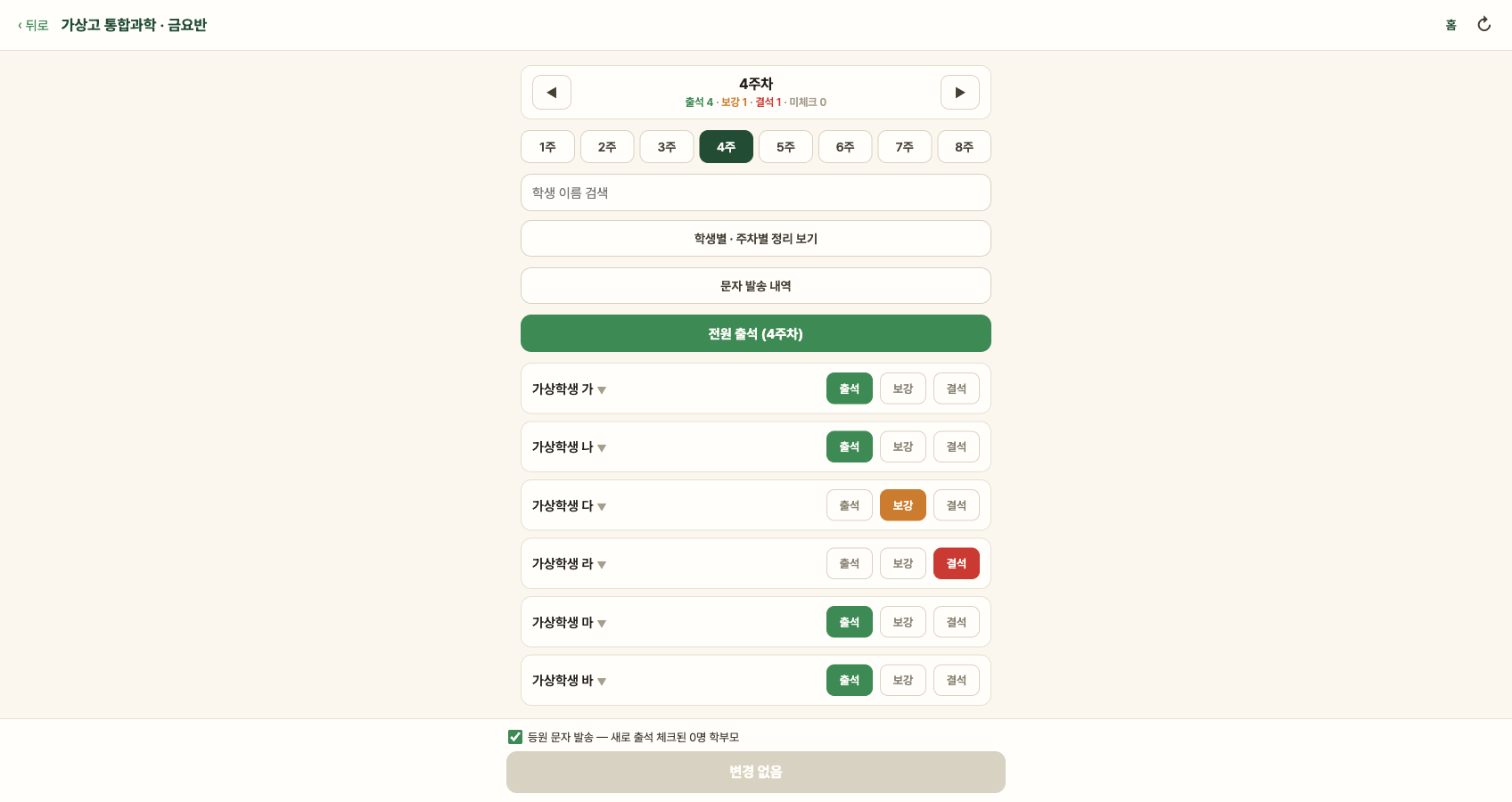
Teachers record attendance and clinic sessions from their class roster. Student lesson reports are created automatically for each session.
Explore 3 screensBring attendance and clinic records from Notion into one teacher view. When a class session opens, a report page is created for each enrolled student to reduce missing records.
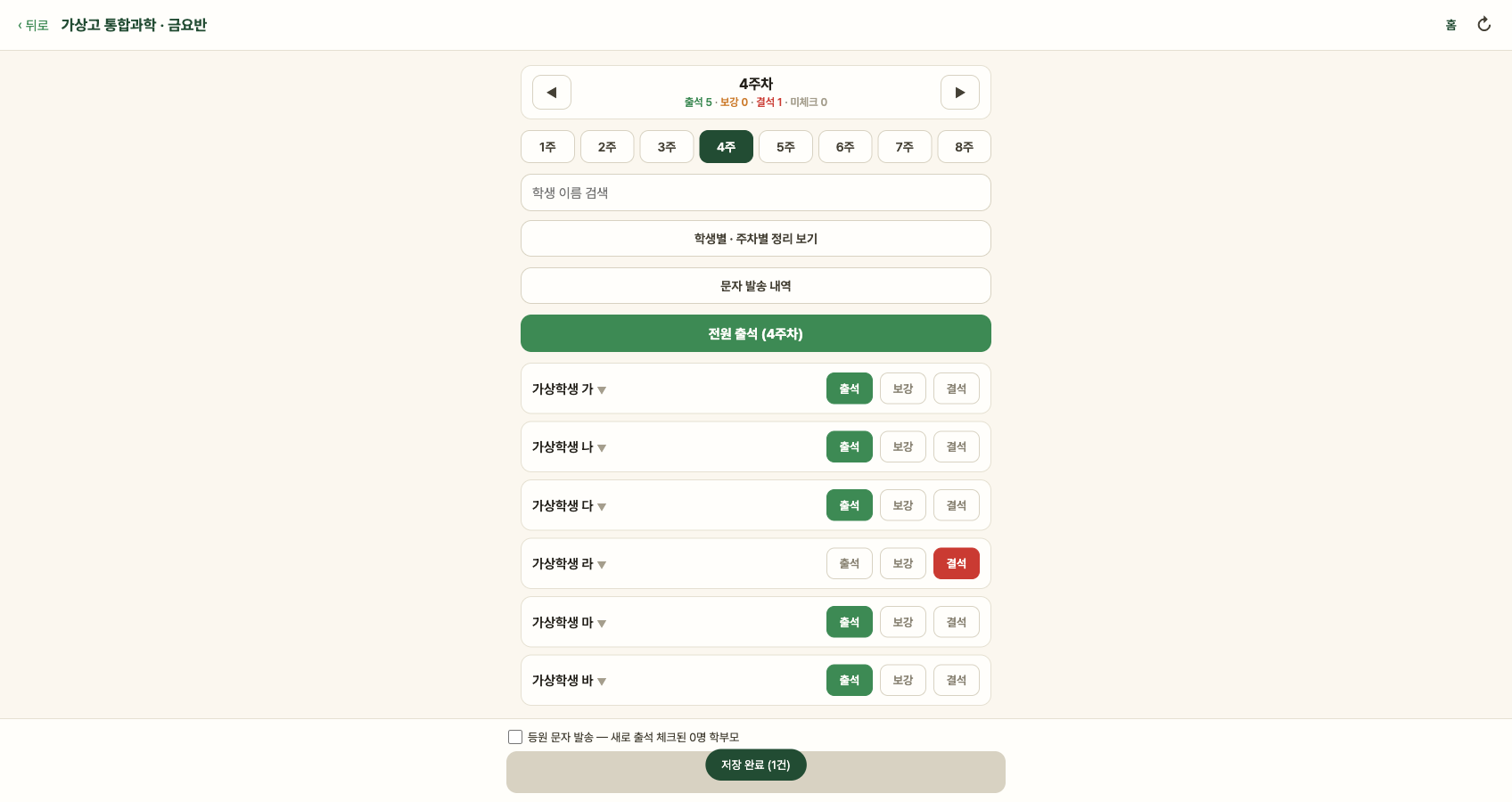
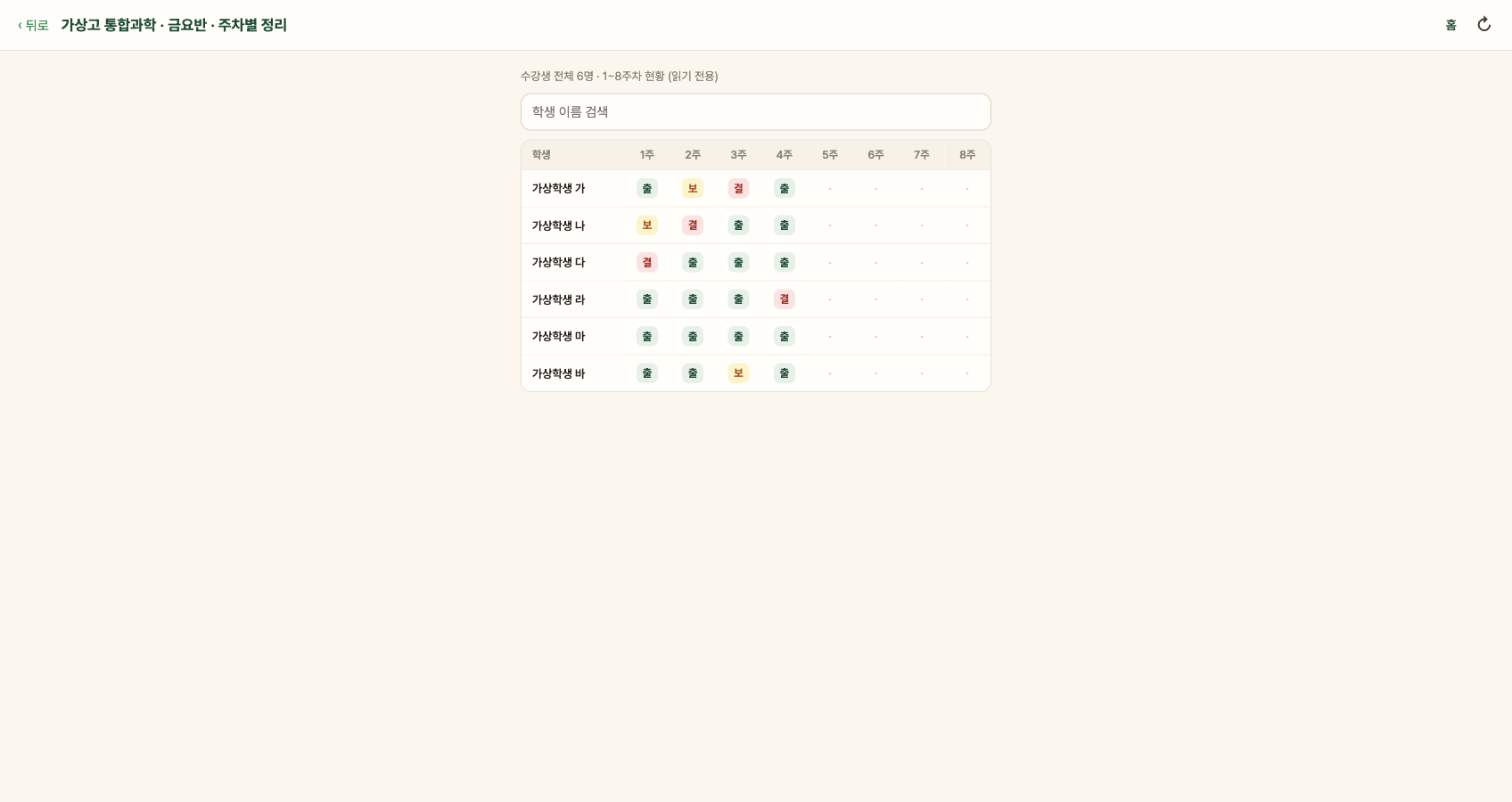
People and records shown are fictional examples prepared for this introduction.
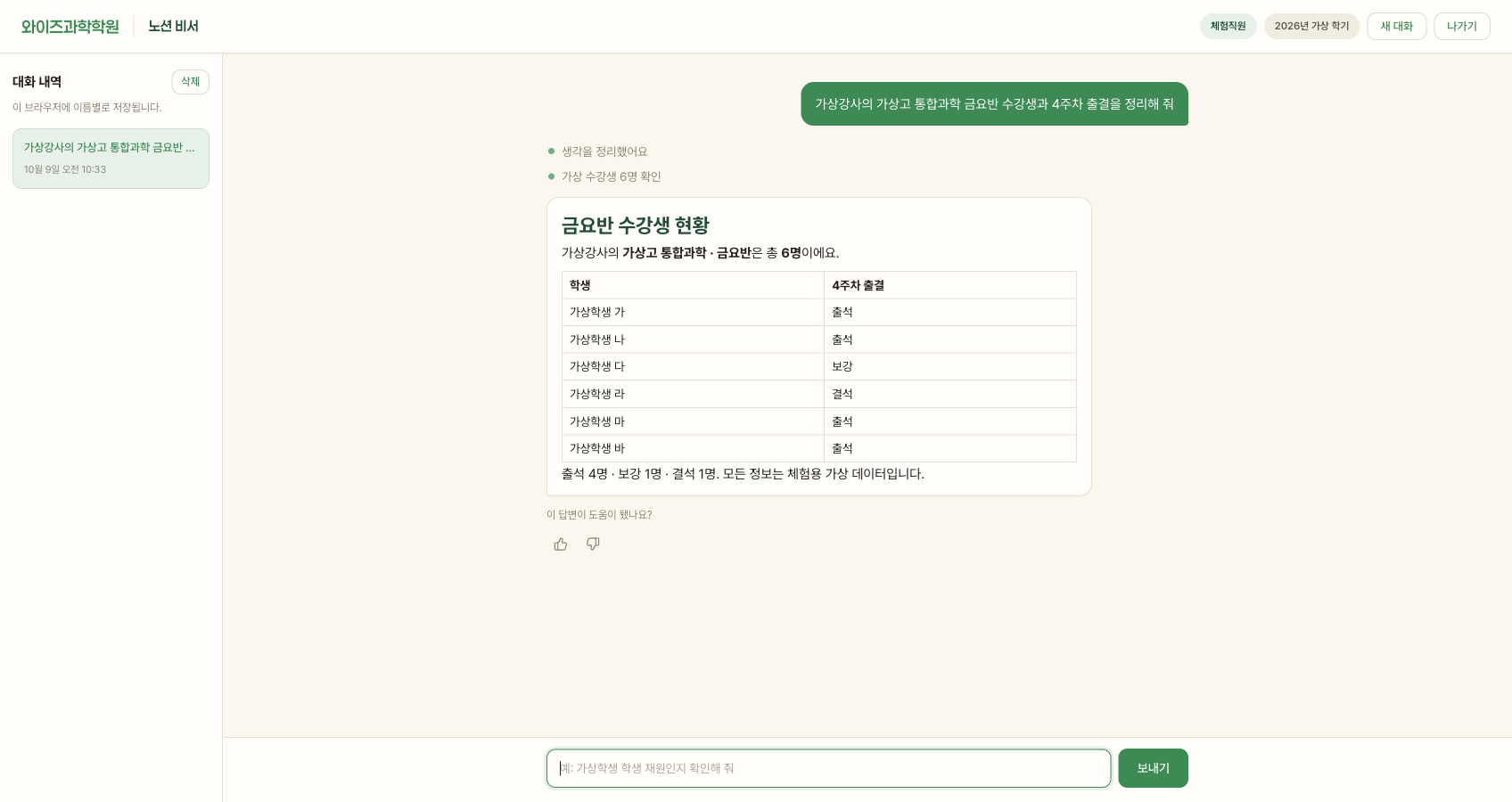
A staff chatbot for looking up and updating student, class, attendance, and clinic information through conversation.
Explore 2 screensAsk questions such as “Who missed today’s 3 p.m. class?” and get answers from Notion data. Each change records its author so staff can trace shared work.
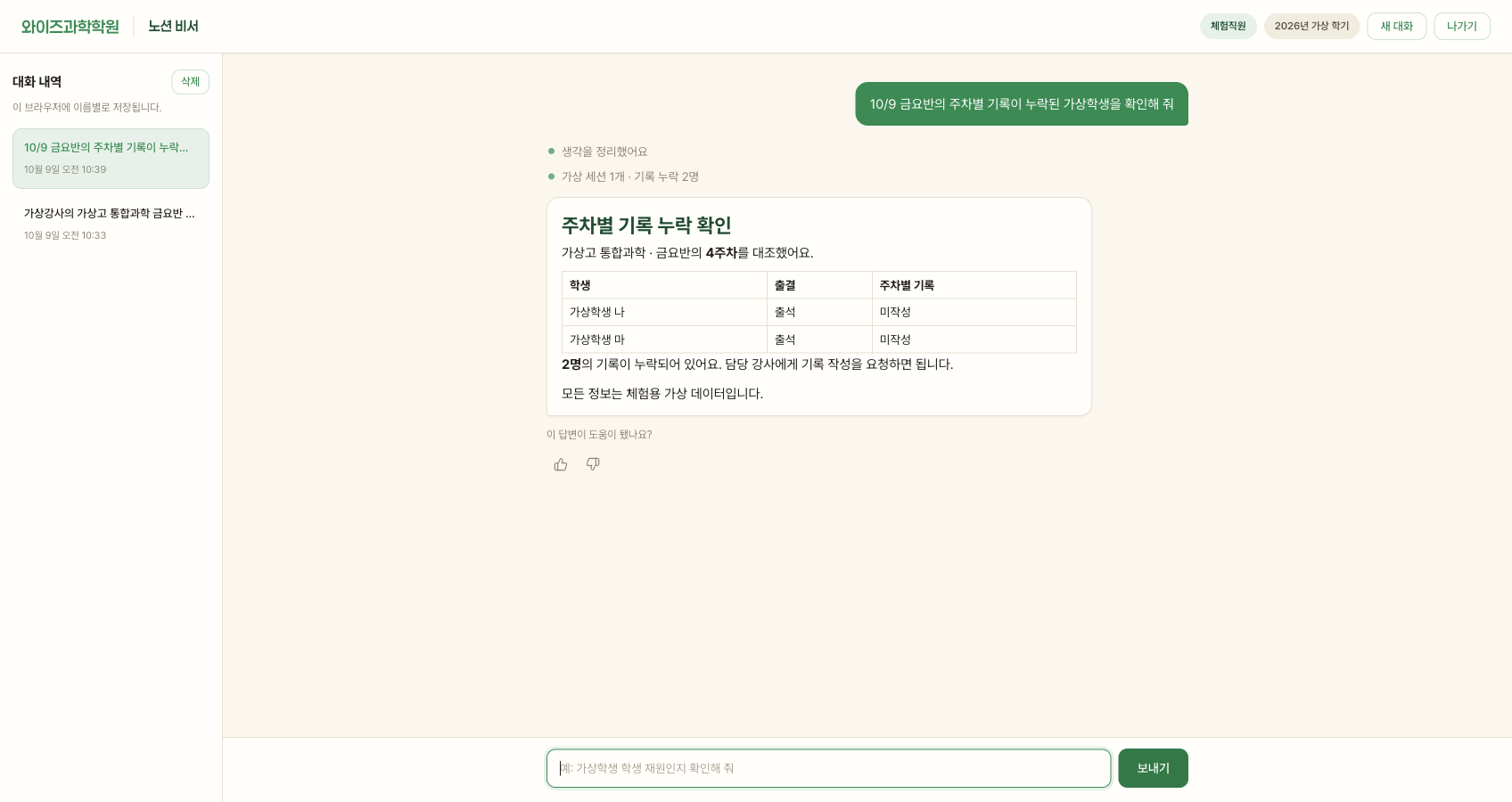
People and records shown are fictional examples prepared for this introduction.
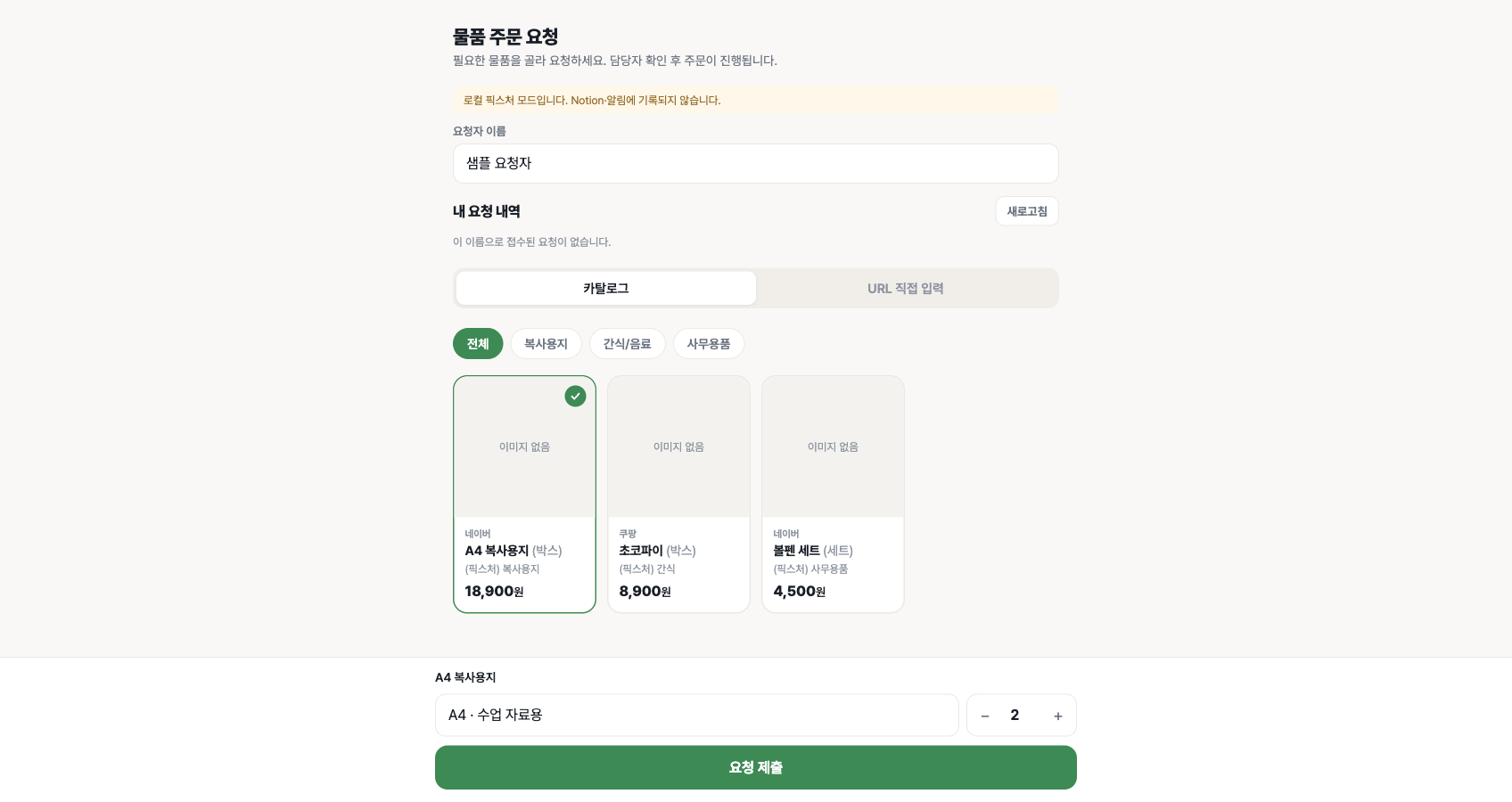
Staff request supplies, the academy owner receives an alert, and approved catalog items are added to the shopping cart automatically.
Explore 2 screensBring supply requests out of scattered messages. Alert the owner when a request arrives, and add approved catalog items to a shopping cart ready for checkout.
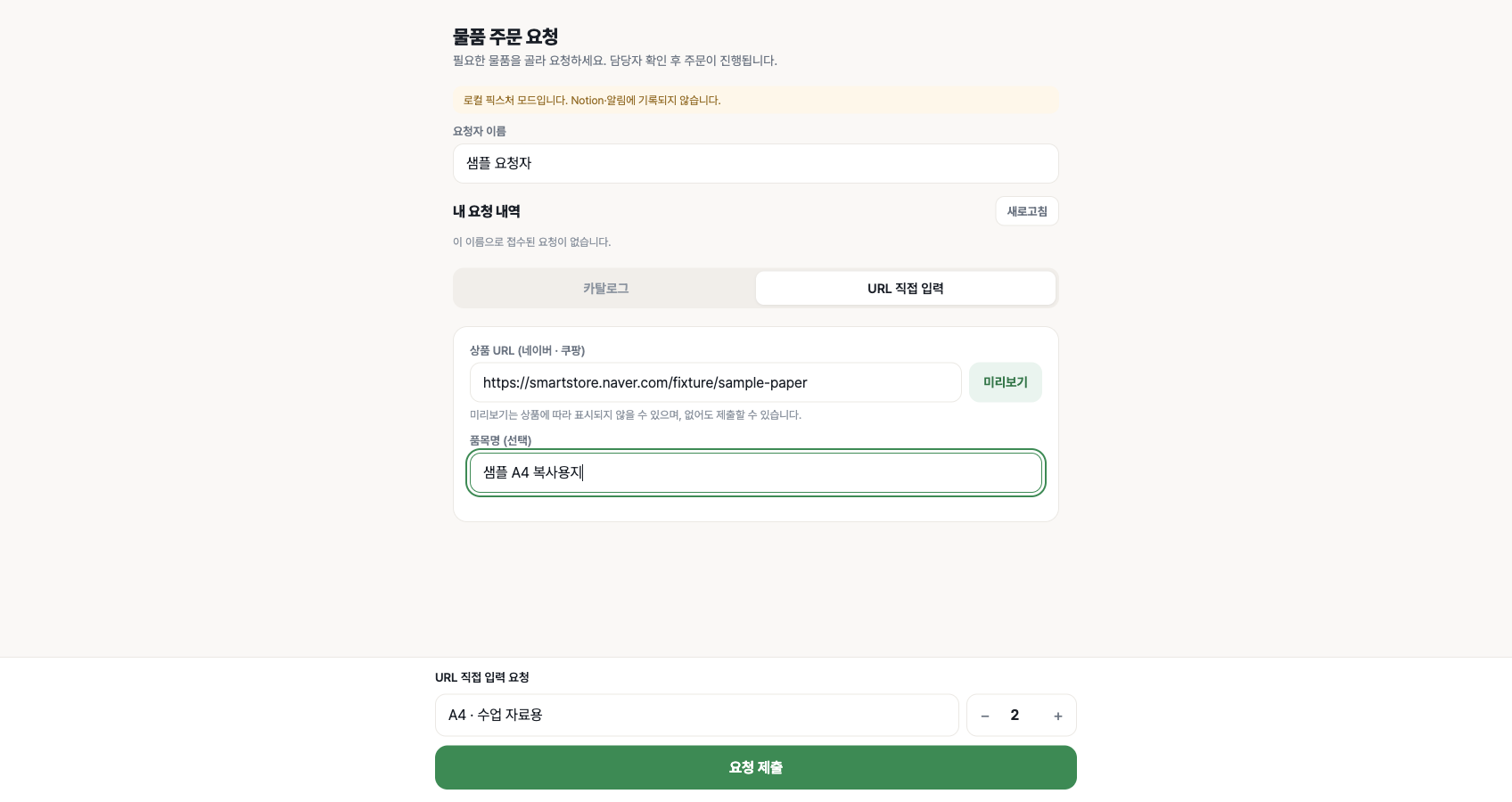
People and records shown are fictional examples prepared for this introduction.
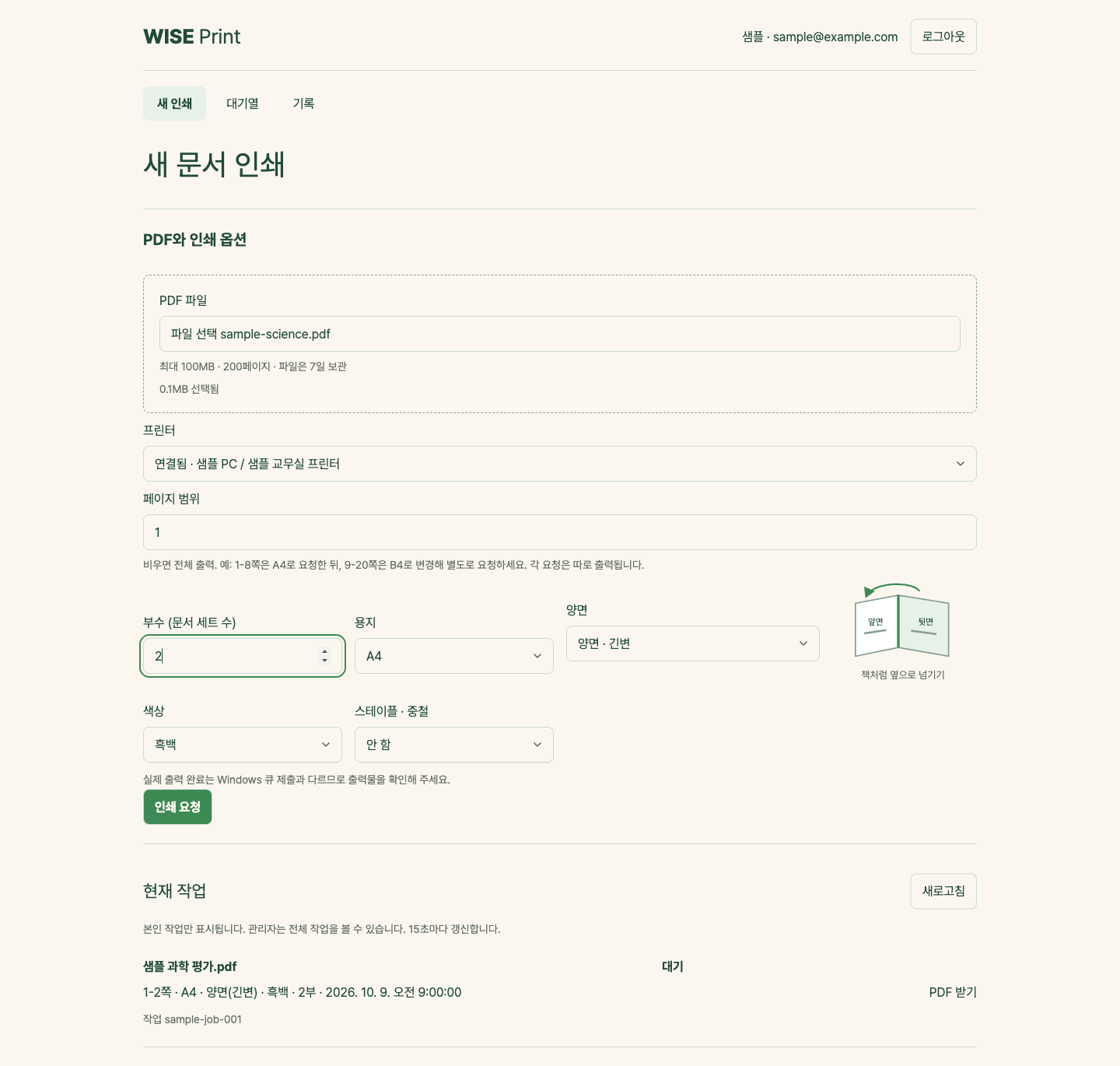
Upload a PDF, choose print options, and send it to an academy printer using an approved account.
Explore 2 screensUpload a PDF, select a printer and output settings, and submit a job to the academy printer after account access is checked.
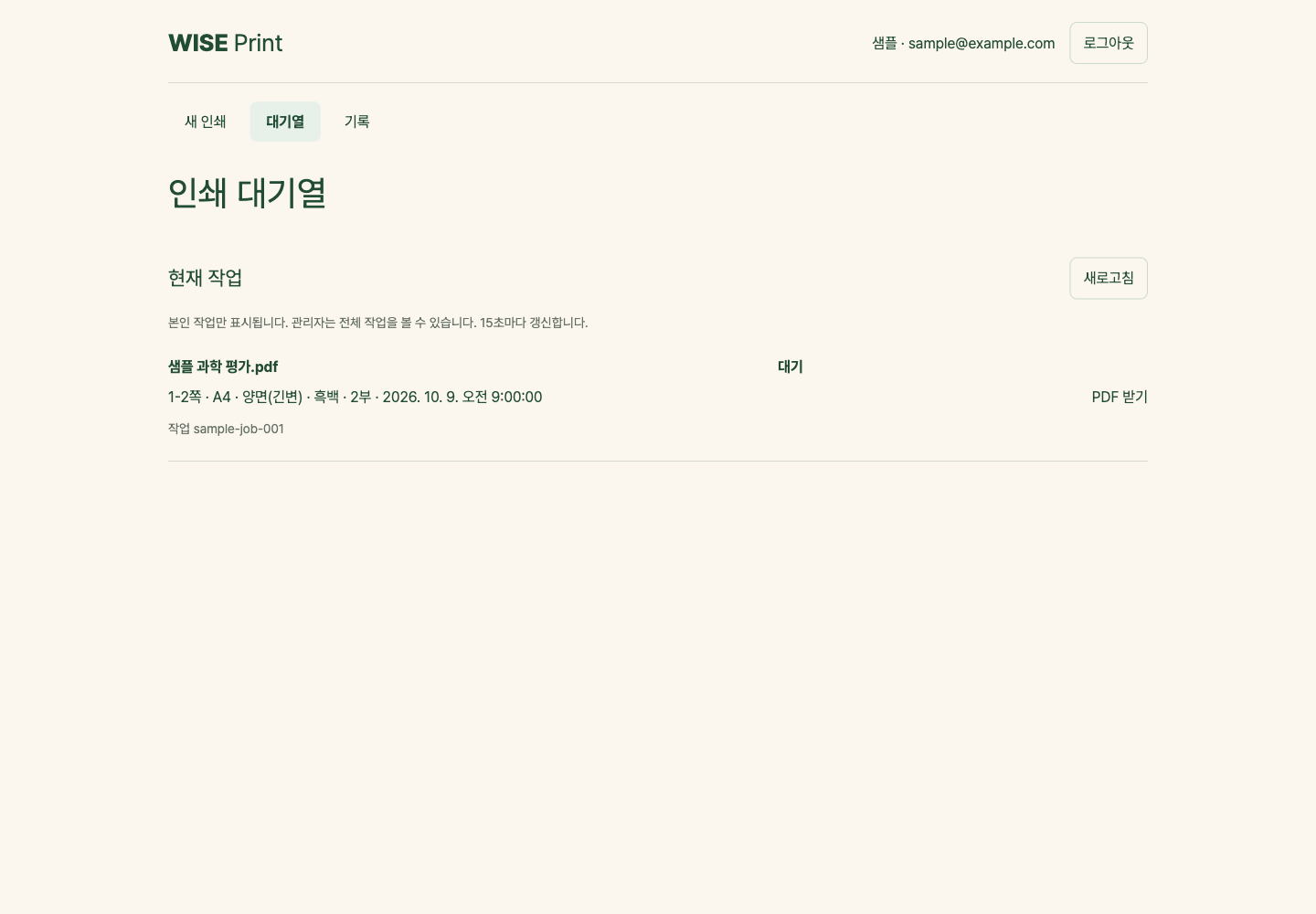
People and records shown are fictional examples prepared for this introduction.
Create link and Wi-Fi QR codes. Customize colors, a transparent background, a central logo, and a title, then save as PNG.
Try it nowWe are bringing separate tools together into one experience.
We are bringing academy workflows that currently span several tools and Notion into one mobile app.
Learn moreUnify attendance, lesson records, and review submissions in an academy app for iOS and Android. We will transition these workflows gradually using experience from daily operations.
A redesigned website will bring academy information, class details, and consultation requests together.
Learn moreReorganize the academy’s class structure, teaching team, and consultation flow so they are easy to read on mobile.
WISE Science Academy (와이즈과학학원) is an actual deployed customer environment. Cheonghyeon Edu supplies teaching-material, classroom review, and operational tools through WISE’s dedicated hub at wise.acatools.app.
Teachers compare cover and interior designs, request covers, and vote on review-note layouts. Request records support preparation for production.
GradeSnap reads and grades exam photos for review. The daily review-note tool uses AI to grade submissions, with results for teachers to check.
Staff record class attendance and clinic sessions. The supply-order tool records requested items and lets staff check receipt details and request history.
The galleries show fictional data and example results to explain features and workflows. They do not disclose student or staff records or demonstrate measured processing outcomes.
We first discuss the work your academy wants to improve, then proceed within the scope defined in the service agreement.
Discuss the tools you are interested in, current workflows, and required features and integrations.
Agree on service scope, setup timing, costs, and operating conditions before signing the agreement.
Provide the agreed tools and configuration in an environment dedicated to your academy.
Handle operational fixes and support within the scope of the agreement.
Maintenance scope and costs, support methods and hours, additional features, and integration conditions are discussed in the agreement. Tools marked “In development” are still being built.
Tell us which tools interest you, the recurring work you want to improve, required features, and your preferred setup timing. We will discuss the available scope and conditions.
Business contact: chedu@acatools.app
We start with workflows used by teachers, assistants, and students, then improve them as issues arise.
Teachers can review grading and conversion results. People make the final decisions.
Results use formats already familiar in education, including HWPX, Notion, and PNG.